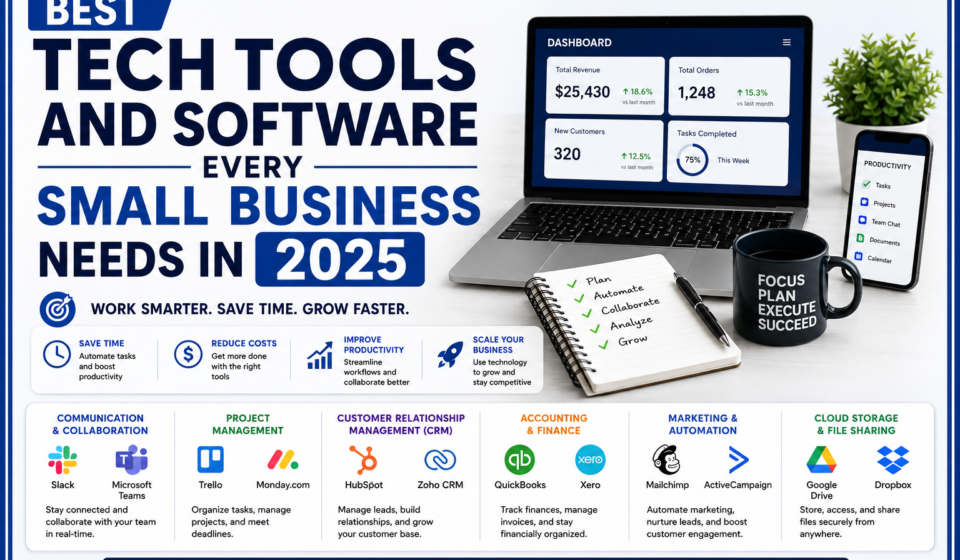
Best Tech Tools and Software Every Small Business Needs in 2025

Running a small business is an incredible journey, but it often means wearing a dozen different hats at the same time. One hour you are the customer service representative, the next you are managing the books, and by evening, you are trying to figure out your social media marketing.
If you feel like there aren’t enough hours in the day, we have good news: you don’t need a bigger team. You just need the right tools.
The digital world has evolved rapidly. In 2025, software is no longer just for massive corporations or tech geniuses. Today’s best small business tools are designed specifically for everyday entrepreneurs. They are simple to use, affordable, and built to handle the heavy lifting so you can focus on what you do best: serving your customers and growing your brand.
Here is your ultimate, jargon-free guide to the essential tech tools your small business needs this year to save time, reduce stress, and boost profits.
1. Project Management: Keep Your Tasks Organized
If you are still managing your business using sticky notes, scattered notebooks, or an overflowing email inbox, it is time for an upgrade. Project management software acts as a digital to-do list for your entire business. It ensures that no task falls through the cracks and everyone on your team knows exactly what to do next.
Top Recommendations:
- Trello: Perfect for visual thinkers. Trello uses a digital “board” with virtual index cards that you can drag and drop from “To Do” to “In Progress” to “Done.” It is as simple as moving a sticky note across a whiteboard.
- Asana: Great for growing teams. Asana lets you list out tasks, assign them to specific team members, and set clear due dates. It gives you a bird’s-eye view of your entire business operations at a single glance.
2. Jargon-Free Accounting: Manage Your Money with Confidence
You don’t need a degree in finance to keep your business financially healthy. Modern accounting software automates the most frustrating parts of money management, from tracking daily expenses to generating professional invoices that help you get paid faster.
Top Recommendations:
- QuickBooks Online: The industry standard for small businesses. It connects directly to your bank account, automatically categorizes your spending, and makes tax season completely stress-free.
- FreshBooks: Built specifically for service-based businesses, freelancers, and absolute beginners. It is incredibly user-friendly and allows you to create and send beautifully branded invoices to your clients in less than 30 seconds.
3. Communication Tools: Stay Connected Without the Chaos
Miscommunication wastes time and costs money. Relying purely on long, messy email chains can cause important client requests or team updates to get lost. Dedicated communication tools keep your team aligned and your customer conversations organized.
Top Recommendations:
- Slack: Think of Slack as a text messaging app built exclusively for your business. Instead of sending 50 internal emails a day, you can create separate text “channels” for different topics (like #marketing, #sales, or #general-chat) to keep conversations fast and organized.
- Zoom / Microsoft Teams: Essential for video meetings, client consultations, or virtual presentations. They allow you to look professional and connect face-to-face with anyone in the world with a single click.
4. Marketing Automation: Attract Customers While You Sleep
Marketing is the lifeblood of your business, but doing it manually every single day is exhausting. Marketing automation tools allow you to schedule your social media posts in advance and automatically send welcoming emails to new customers, keeping your brand top-of-mind effortlessly.
Top Recommendations:
- Mailchimp: A fantastic beginner-friendly platform for email marketing. You can use it to store your customers’ email addresses safely, design beautiful newsletters, and set up automatic emails—like a “Thank You” note sent immediately after someone makes a purchase.
- Buffer: Instead of logging into Facebook, Instagram, and LinkedIn every single day to post updates, Buffer lets you upload all your social media posts for the entire week or month in one sitting. It then automatically publishes them for you at the perfect times.
Small Business Software Comparison Dashboard
To help you decide which tools match your budget and business size, here is a quick overview of the top options for 2025:
| Category | Tool | Best For | Skill Level Required | Price Range |
|---|---|---|---|---|
| Project Management | Trello | Complete beginners who love visual layouts | Very Easy | Free plan available; paid upgrades from $5/month |
| Project Management | Asana | Teams needing structured to-do lists | Easy | Free plan available; paid upgrades from $10.99/month |
| Accounting | FreshBooks | Service providers who send frequent invoices | Very Easy | Starts around $19/month |
| Accounting | QuickBooks | Growing businesses wanting detailed tax tracking | Moderate | Starts around $35/month |
| Communication | Slack | Quick internal team chatting and file sharing | Easy | Free plan available; paid upgrades from $7.25/month |
| Marketing | Mailchimp | Sending automated customer emails | Easy | Free plan available; paid upgrades from $13/month |
| Marketing | Buffer | Scheduling social media posts in advance | Very Easy | Free plan available; paid upgrades from $6/channel/month |
Export to Sheets
How to Choose the Perfect Tools for Your Business
With thousands of software options available, it is easy to suffer from “shiny object syndrome” and buy tools you don’t actually need. Follow these three simple rules to keep your setup clean and cost-effective:
1. Start with Your Biggest Pain Point
Don’t try to buy seven new tools today. Ask yourself: What is causing me the most stress right now? If you are drowning in unpaid client invoices, start with an accounting tool like FreshBooks. If your team is confused about project deadlines, start with Trello. Fix one problem at a time.
2. Take Advantage of Free Trials
Almost every software company offers a 14-day free trial or a permanently free basic plan. Take advantage of these! Let your team play around with the software for a week to make sure everyone finds it genuinely easy to use before you enter your credit card details.
3. Look for Software That Talks to Each Other
In the tech world, this is called “integration.” You want tools that can connect with one another automatically. For example, you want an accounting tool that can talk directly to your bank account, or a project management tool that can send automatic notifications straight into your Slack chat.
Conclusion: Embrace Tech to Regain Your Time
In 2025, the right technology acts as an invisible business partner. It works quietly in the background, handling the repetitive, time-consuming administrative tasks that used to keep you working late into the night.
By investing just a few minutes into setting up these simple, beginner-friendly tools, you will reduce human error, build a happier team, and create a highly professional experience for your customers. Most importantly, you will win back your valuable time so you can focus on the big-picture ideas that will truly scale your small business.
Need Help Setting Up Your Digital Workspace?
Choosing, installing, and connecting the right software tools can still feel intimidating when you are busy running a company. That is exactly why we are here.
At GrowthPulseSol.com, we specialize in helping small businesses streamline their operations, automate their marketing, and set up the perfect, easy-to-use tech systems tailored to their unique needs. Let us handle the technology so you can handle the growth.
[Contact GrowthPulseSol today for your free Software & Tools Consultation] and let’s simplify your business operations together!